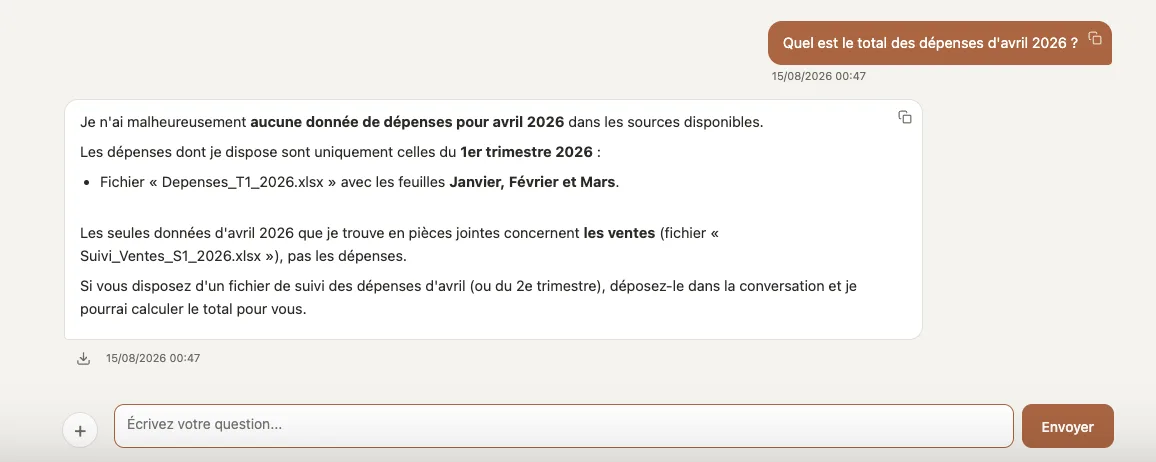
What's buried in your files: one question, a few seconds.
You know it's written down somewhere. The question is which document, which mailbox, which row of a spreadsheet — the answer now comes sourced, cross-checked across your documents, your emails and your ERP. And when there's a decision to make, that same answer gives you the findings, the analysis and a next step backed by figures.
Find a document: one question, a few seconds.
Your files and your Gmail or Outlook attachments, even scanned — every answer cites its source. And every Monday morning, the summary of your week's emails is waiting for you.
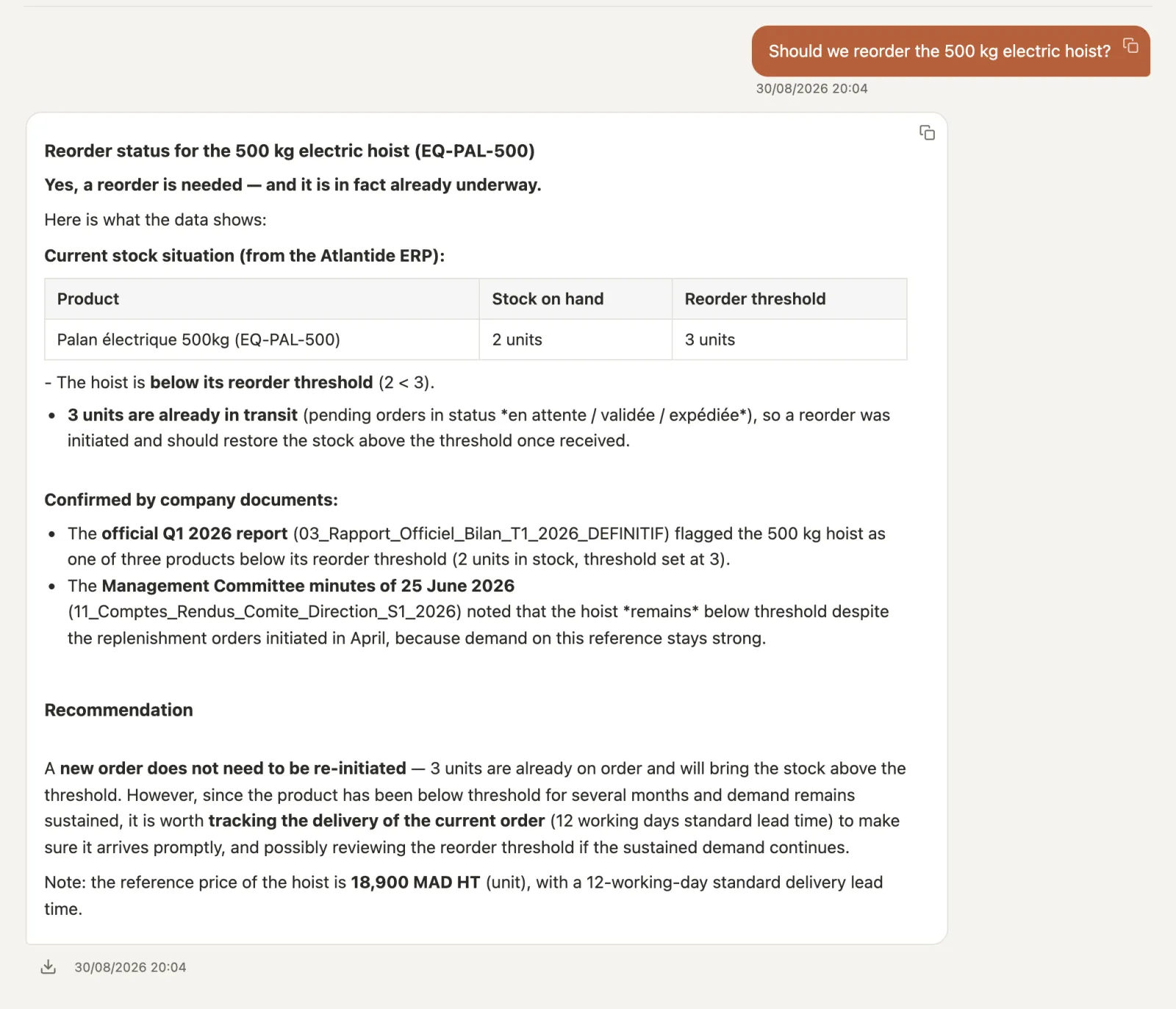
Yes — and a reorder is in fact already underway: stock of 2 units below the threshold of 3 in the ERP1, 3 units already in transit, confirmed by the official Q1 report and the management committee minutes; the advice is to track the current delivery rather than re-order3.
The work doesn't change. What changes is how long the information takes to come out of your files. Here is what it becomes.
Find in one question what was buried in a scanned PDF
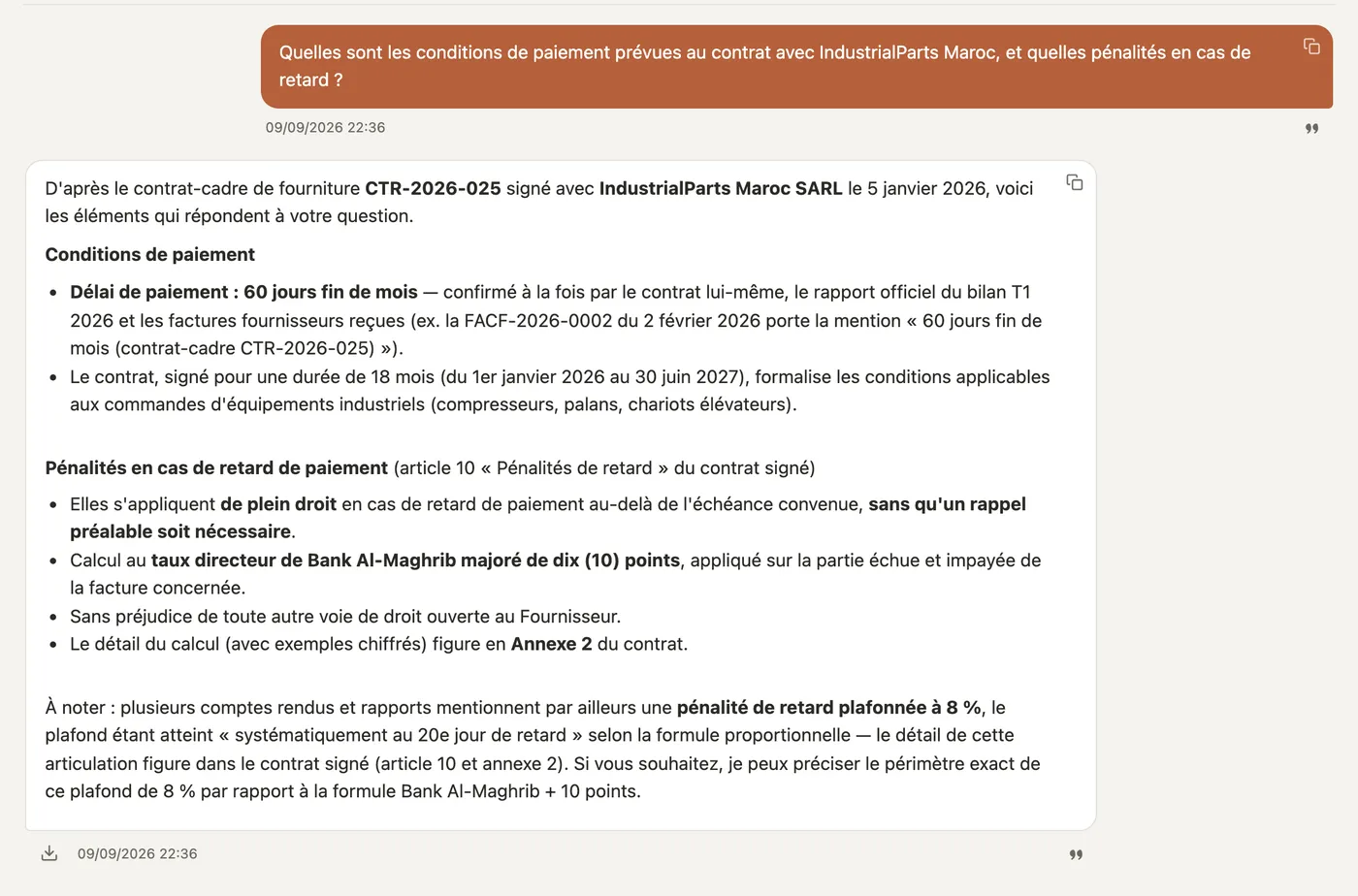
Word, Excel, PDF — even scans. The answer cites the original document; and when no document can answer, the assistant says so instead of making something up.
"What delivery commitments did we sign in the contract with this client?"
Monday morning, the week's emails are already summarised
Your Gmail or Outlook mailbox is connected read-only, attachments included. Every Monday, the summary of the week's emails is waiting in the chat — you pick up on the point that matters to you.
"Tell me more about the late delivery."
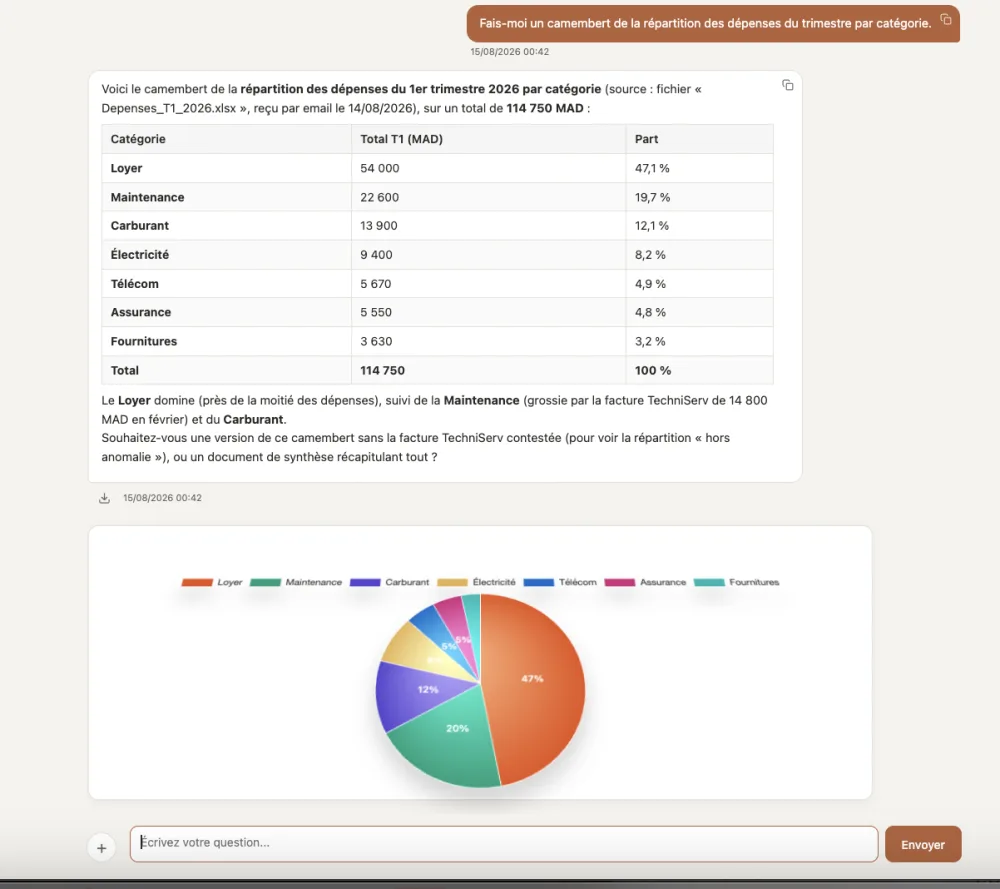
The figure, cross-checked with the ERP, chart included
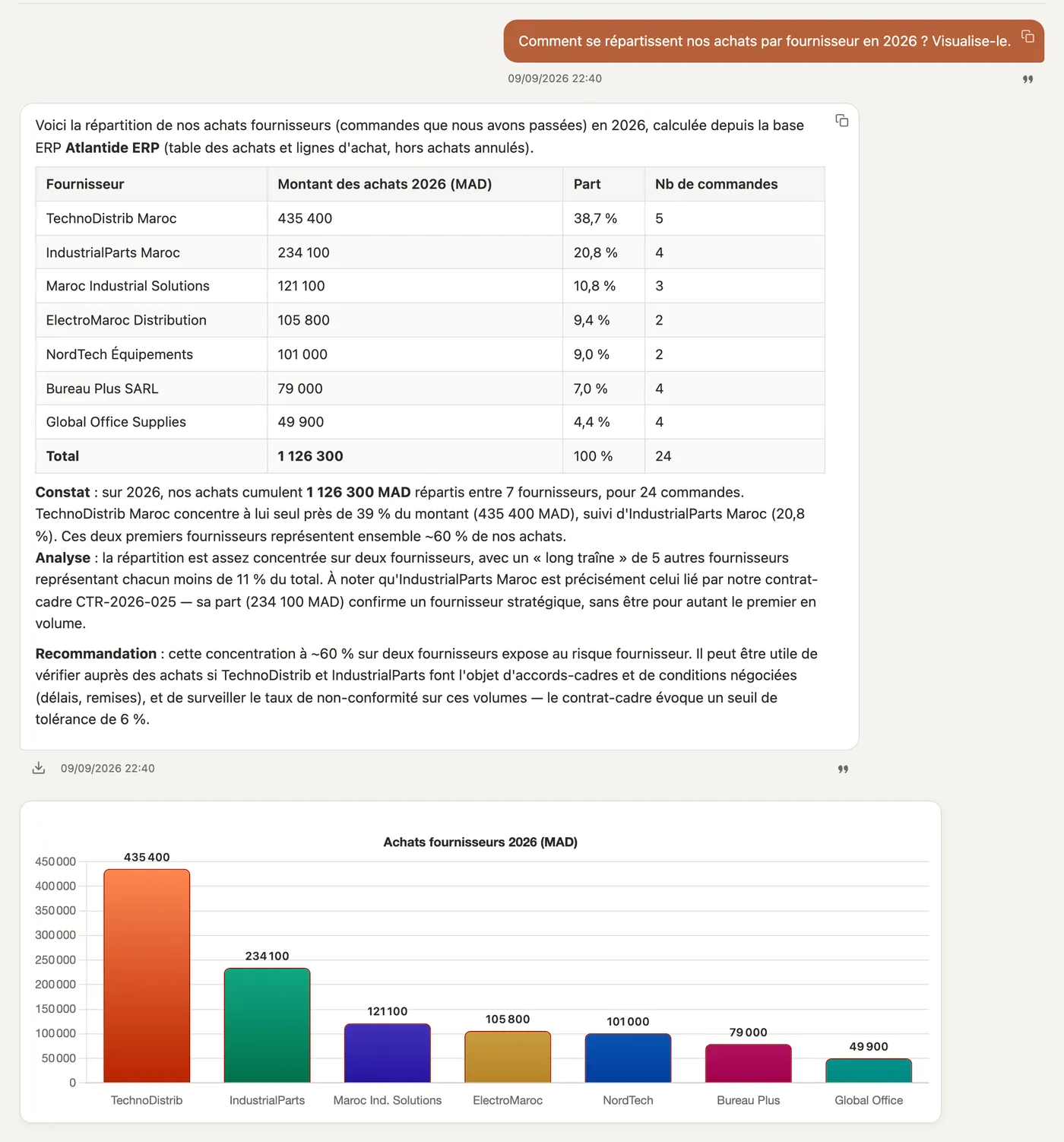
Quantitative questions on your Excel files, cross-checked with your ERP or databases (PostgreSQL, MySQL, SQL Server, Oracle — read-only connection). The chart comes with the answer.
"How much have we invoiced this client since January, month by month?"
The finding, then the analysis — and a quantified lead
When the question calls for a decision — or when you ask for it — the answer doesn't stop at the figure: the finding, sourced; the analysis — pace, seasonality, the period actually covered; then a lead, quantified whenever your data allows. If the quarter isn't over, the assistant says so rather than concluding too soon. What others call BI — in the answer, with no dashboard.
"Is this product selling faster than last year, or is it the season?"
The report leaves in your colours, with your logo
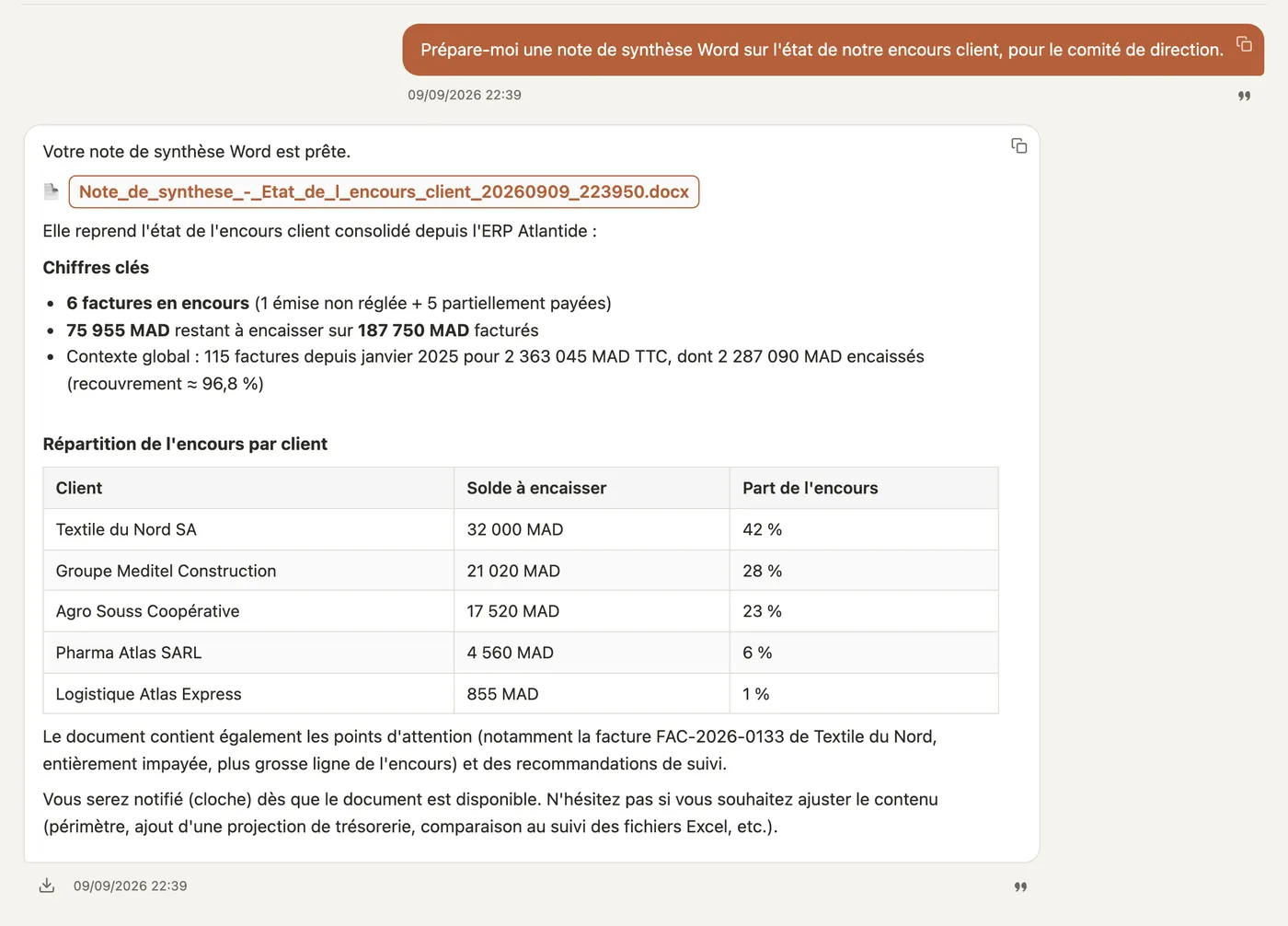
Any answer exports to Word, Excel or PDF in your company's style. And the assistant composes a complete document — summary, comparison, minutes — from what you have gathered.
An existing Word file is reused as is — new client, new date, one more line in the table — without touching the layout. You get the result as a draft, to review.
"Reuse this quote for the new client, dated today, with one more line."
Option
This supplier's invoices read themselves
A document type that always looks the same — a supplier's invoices, purchase orders — is read automatically, always the same way, and its values become queryable. Anything doubtful goes to human review, never written.
"Total invoiced by this supplier this quarter?"
Everyone sees only what concerns them
Three visibility levels — Public, Team, Private: everyone queries only what they are allowed to see. Each person's emails are visible to them alone, whatever their role.
"What does our return policy say?" — visible to all. "My emails this week" — for you alone.
Options
Your customers get their answer too
On your company's WhatsApp Business, the bot answers from your content and you take over in one click. On your website, a chatbot powered by your content — the bubble at the bottom of this page is the example. See both options.
"Do you deliver to Tangier?" — asked by a customer on your WhatsApp, on a Sunday.
A number on its own settles nothing
One question about outstanding receivables, typed exactly as you would ask it — and the complete answer, from sourced findings to a quantified next step, in seconds.
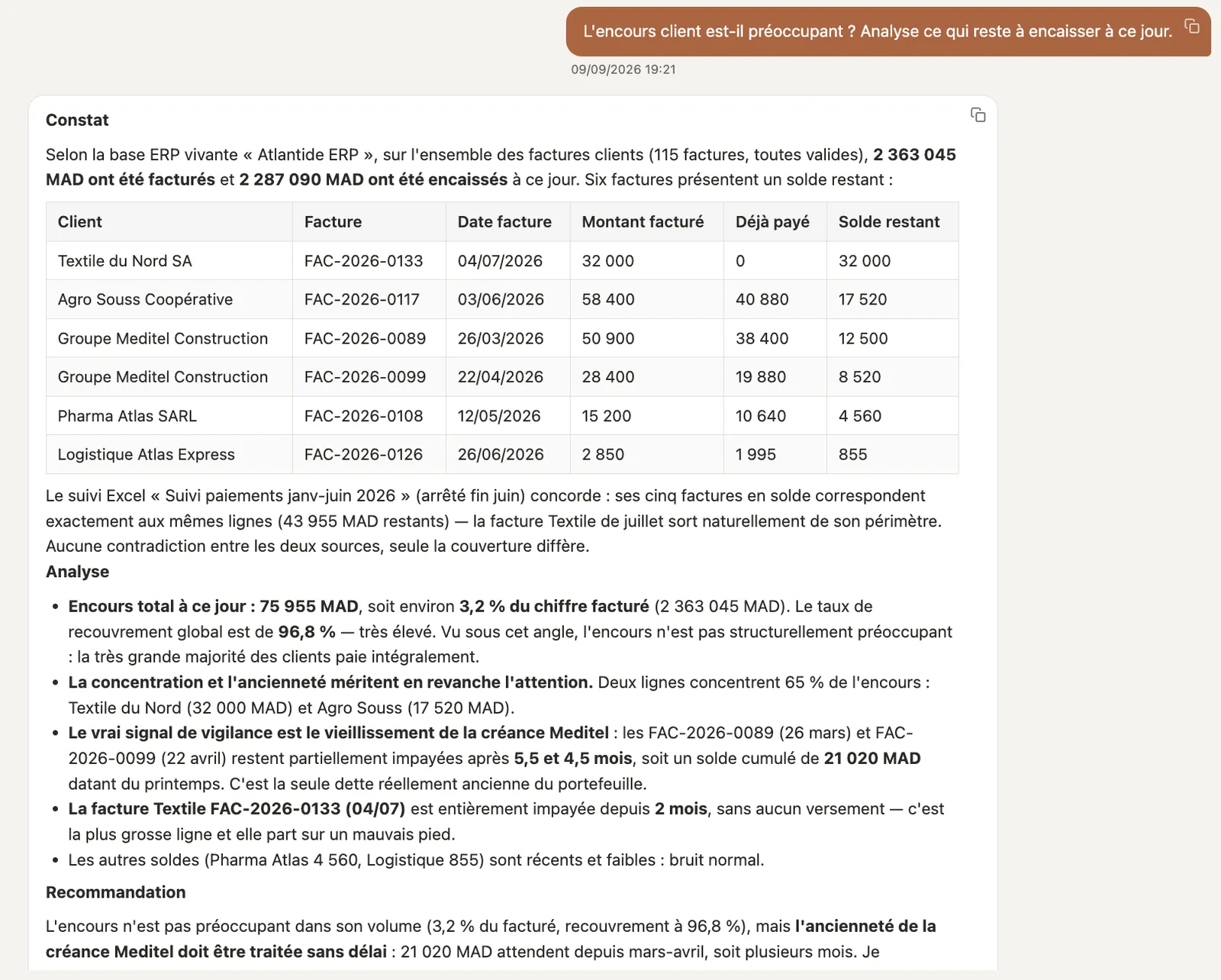
Should we be worried about outstanding receivables? Analyse what is still to be collected as of today.
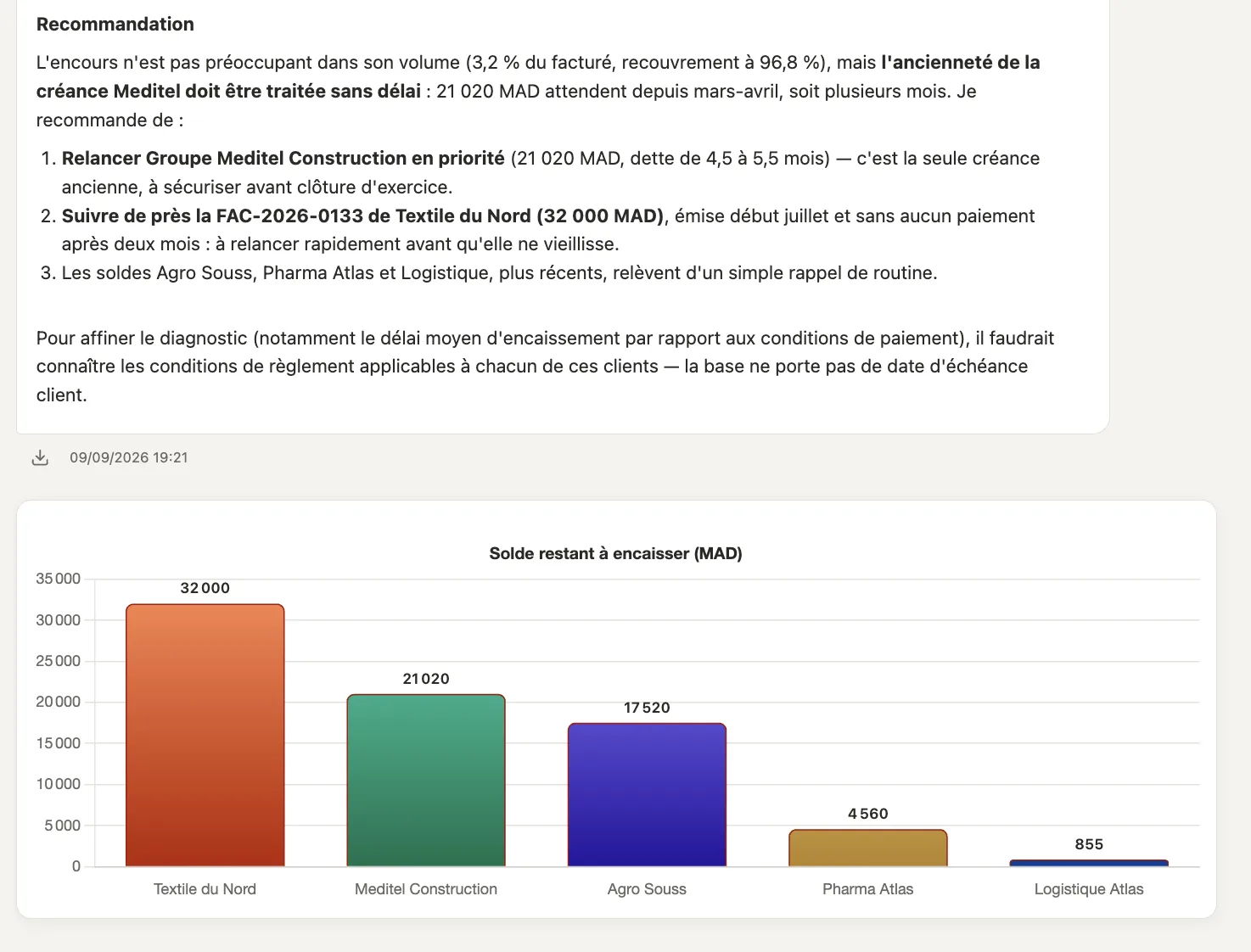
The findings: six open balances, ERP and Excel in agreement. The analysis: 3.2% of invoiced sales, a single ageing receivable. · fictional data, French interfaceRecommendation: one customer to chase first, one invoice to watch, what would sharpen the picture. Then the chart. · fictional data, French interface
French, Arabic and English. On your phone — home-screen icon and notifications. Hosted on a dedicated server or on your premises.
The problem
Company information is scattered: Word, Excel, scanned PDFs, emails, ERP.
Finding one piece of information takes hours. Re-entering it takes even longer.
Consumer AI tools mean sending your documents abroad, with no control.
Existing automated support tools answer with rigid menus and never use the documentation your company already owns.
Questions you can ask
A few real examples, on your own documents.
What delivery commitments did we sign in the contract with [client]?
Is the quote we just received consistent with last year's negotiated prices?
Which documents are missing from the current application file?
Who approved this order, and on what basis?
What is our return policy, and when did it last change?
How much have we invoiced this client since January?
Has this product sold well this year? Analyse its sales pace.
How much did I pay this supplier this year, all invoices included?
Find the invoice received in February for the compressor.
What does my insurance contract say in case of theft?
Summarise this week's emails.
Your customers ask questions too
The same answer engine, turned outward — two options you can add to your plan.
Option
WhatsApp Replies
Your customers write to your company's WhatsApp Business number — the bot answers instantly, around the clock, from your own content.
As soon as a conversation turns serious (price, appointment, asking for a human), you are notified.
You take over in one click: the bot goes silent, you do the talking.
 anasseh.com
 See this screen